TeraBox vs OneDrive: Best Cloud Storage Comparison 2026
TeraBox vs OneDrive 2026: compare free storage, speed, security, and value. Find the best cloud storage that fits your needs and budget today.
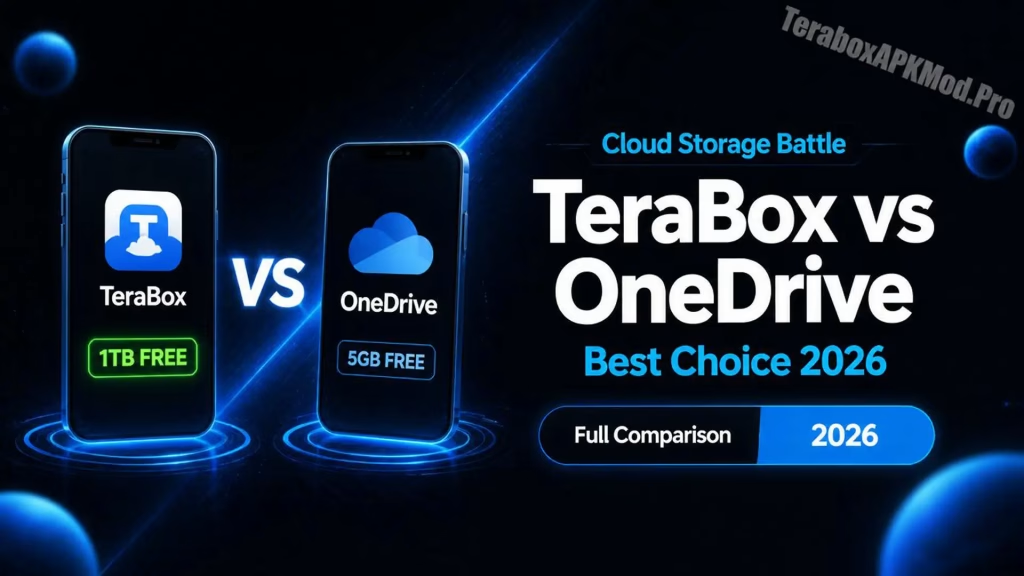
Choosing between TeraBox and OneDrive comes down to one simple question: do you need more free storage, or do you need better tools and security? Both platforms offer reliable cloud storage, but they are built for different types of users. This comparison breaks down everything that matters so you can make the right choice without wasting time testing both.This TeraBox vs OneDrive comparison gives you a clear answer based on real daily use.
You can also compare TeraBox vs Google Drive to see how TeraBox performs against another major competitor.
What Makes TeraBox and OneDrive Different?
TeraBox is built around one major selling point: 1TB of completely free cloud storage. It is designed for users who want a simple, fast way to back up photos, videos, and files without paying anything. OneDrive, on the other hand, is Microsoft’s cloud storage platform that comes deeply integrated with Windows, Microsoft 365, and Office apps. It offers 5GB free but shines when used alongside Word, Excel, PowerPoint, and Teams.
The core difference is this: TeraBox gives you more space for free, while OneDrive gives you more capability when you are already inside the Microsoft ecosystem.
The comparison below covers all major differences at a glance:
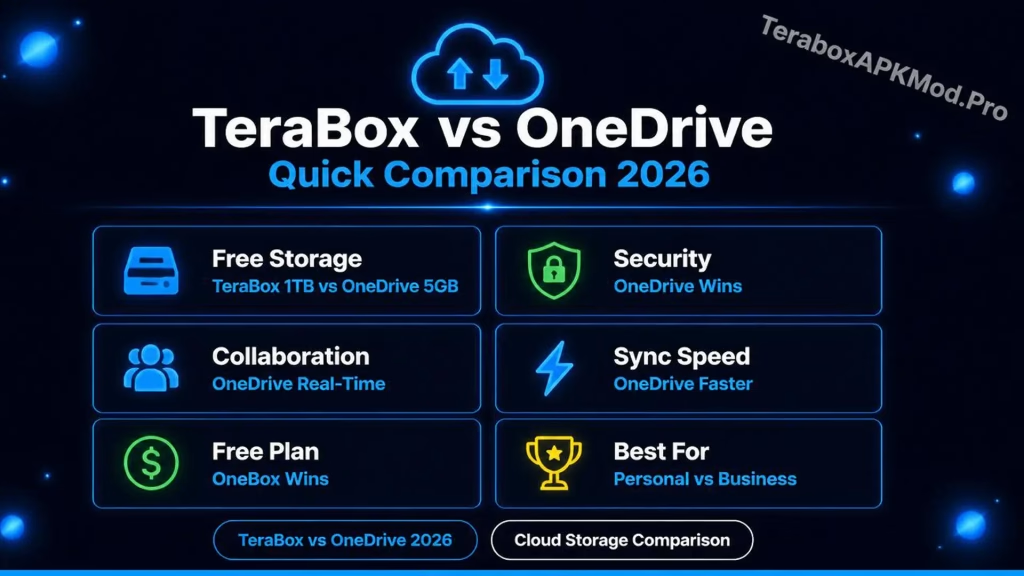
Storage and Pricing
TeraBox offers 1TB of free storage to every user, which is genuinely one of the most generous free tiers available in cloud storage today. Its premium plans are also priced lower than most competitors, making it attractive for users who want extra space without a large monthly commitment.
OneDrive provides 5GB free, which fills up quickly for anyone storing photos or videos regularly. However, OneDrive’s paid plans are bundled with Microsoft 365, which means you get access to the full Office suite alongside your storage upgrade. For users who already use Word or Excel, that bundle often works out to better overall value.
If storage space alone is the deciding factor, TeraBox wins easily. OneDrive’s paid plans are bundled with Microsoft 365, OneDrive becomes the more cost-effective choice.In the TeraBox vs OneDrive storage debate, TeraBox wins easily on free space.
If you want to get started, visit our TeraBox for iOS guide.
File Security and Privacy
When comparing TeraBox vs OneDrive on security, the two platforms differ significantly. Security is where these two platforms differ most noticeably. OneDrive uses end-to-end encryption and is backed by Microsoft’s enterprise-grade security infrastructure, which includes compliance with global data protection regulations like GDPR. For business users or anyone storing sensitive files, this matters significantly.
TeraBox uses AES encryption and protects data during transmission, but it does not offer end-to-end encryption. This means the platform technically retains access to stored files. For everyday personal files like photos and videos, this is a low practical risk. For confidential documents or business data, OneDrive offers stronger guarantees.
Both platforms support two-factor authentication. Enabling it on either service adds meaningful protection against unauthorized access . Learn more at Microsoft OneDrive Security.
Ease of Use and Interface
Both TeraBox and OneDrive are beginner-friendly, but they feel different in daily use. TeraBox keeps things extremely simple. The app loads quickly, the layout is clean, and uploading or downloading files takes very few steps. It works well for users who want storage to stay out of the way and just work in the background.
OneDrive integrates directly into Windows File Explorer, which means your cloud files appear alongside your local files as if they were saved on your computer. For Windows users, this makes OneDrive feel like a natural extension of the operating system rather than a separate app. On Mac, iOS, and Android, the experience is solid but less seamless than on Windows.
Collaboration and Sharing
OneDrive is a clear winner for collaboration. It supports real-time co-editing in Word, Excel, and PowerPoint, with multiple people able to work on the same document simultaneously. Sharing controls are advanced, allowing you to set expiry dates on links, restrict editing, and manage permissions at a granular level.
TeraBox supports file sharing through secure links and allows you to share folders with other users. It works well for sending large files to someone who does not have TeraBox installed. However, it does not support real-time document collaboration, which makes it less useful for teams or students working on shared projects. This is where TeraBox vs OneDrive gap is most noticeable for team users.
Performance and Sync Speed
Both platforms perform reliably for everyday use. TeraBox handles large file uploads smoothly, even on slower mobile connections, and its auto backup for photos runs consistently in the background without draining battery noticeably.
OneDrive syncs faster in most cases, particularly for users on Windows where the desktop client integrates at the system level. It also offers selective sync, which lets you choose which folders stay downloaded on your device and which remain cloud-only. TeraBox’s sync is cloud-focused, meaning files are stored online and accessed on demand rather than kept locally.
AI and Backup Features
TeraBox introduced AI-powered file sorting and photo categorization in recent updates. These tools automatically organize uploaded files by type, date, and content, which makes finding older photos or documents faster without manual sorting.
OneDrive offers AI-powered search, smart suggestions within Office apps, and automatic version history that saves previous versions of your files. If you accidentally overwrite a document, OneDrive lets you restore an earlier version. TeraBox does not currently offer version history on its free plan.
TeraBox vs OneDrive: Side by Side
| Feature | TeraBox | OneDrive |
|---|---|---|
| Free Storage | 1TB | 5GB |
| End-to-End Encryption | No | Yes |
| Real-Time Collaboration | No | Yes |
| Windows Integration | Limited | Deep |
| Auto Photo Backup | Yes | Yes |
| Version History | Limited | Yes |
| Offline Access | Yes | Yes |
| Mobile App | Fast and light | Reliable |
| AI Tools | Photo sorting | Smart search |
| Premium Price | Very low | Bundled with Microsoft 365 |
| Best For | Personal storage | Business and professionals |
Which One Should You Choose?
The final TeraBox vs OneDrive decision depends on your specific use case. TeraBox is the better choice if you need large amounts of free storage for personal photos, videos, and everyday files, and you do not need advanced collaboration or business-grade security. It is particularly useful for Android users and anyone who wants a simple, no-cost backup solution.
OneDrive is the better choice if you use Windows regularly, already pay for Microsoft 365, work on documents with other people, or need to store sensitive files with stronger encryption. For students and professionals who live inside Office apps, OneDrive is the more practical long-term choice.
Both platforms are reliable. The right one depends entirely on what you actually use cloud storage for.
Conclusion:
Overall, TeraBox vs OneDrive comes down to free storage versus professional capability. If you need generous space at no cost for personal photos, videos, and everyday backups, TeraBox is the stronger choice. It gives you 1TB free without any complicated conditions and works reliably across all devices.
If you work with a team, rely on Microsoft Office daily, or need stronger encryption for sensitive files, OneDrive is worth the investment. The deep Windows integration and real-time collaboration tools make it a practical long-term solution for students and professionals.
Both platforms are reliable in their own way. Pick TeraBox for personal storage and OneDrive for professional work.Overall, TeraBox vs OneDrive comes down tofree storage versus professional capability.
