TeraBox vs Dropbox 2026: Which Cloud Storage Is Better?
Compare TeraBox vs Dropbox 2026 free storage, security & sync speed. Find the best cloud storage for you!
If you are deciding between TeraBox and Dropbox, the choice comes down to what you need cloud storage for. TeraBox gives you a massive amount of free space with simple backup tools. Dropbox gives you professional-grade security, collaboration features, and reliable syncing for teams. This TeraBox vs Dropbox guide compares both platforms honestly
You can also read our TeraBox vs Google Drive comparison for more context.
What Is TeraBox?
TeraBox is a cloud storage app that provides 1TB of free storage to every new user. It is designed for individuals who want to back up photos, videos, and documents without paying for a premium service. The app runs on Android, iOS, and web browsers, and it supports automatic photo backup, cross-device sync, and a private vault for sensitive files.
For most casual users, TeraBox solves a very specific problem: running out of storage space without wanting to pay for more. The 1TB free tier is genuinely useful and not a limited trial, which is rare among cloud platforms at this level of storage.
You can also learn how to upload documents on TeraBox to get started quickly.
What Is Dropbox?
Dropbox is a cloud storage and collaboration platform trusted since 2008 . It is built around fast, reliable file syncing and sharing, with strong security tools and team collaboration features that go well beyond basic storage. Dropbox offers 2GB of free storage, which is limited, but its paid plans are designed for professionals who need more than just a place to dump files.
The reason people pay for Dropbox is not the storage itself. It is the reliability, the integrations with other work tools, and the security standards that make it a trusted platform for business use. If you are managing important client files or collaborating on projects with a team, Dropbox is built for exactly that.
Storage and Pricing
In the TeraBox vs Dropbox storage comparison, TeraBox offers 1TB free , and its premium plan is priced lower than most competitors. For users on a budget who simply need space to store personal files, this free tier covers most real-world needs without any payment required.
Dropbox starts at 2GB free, which fills up quickly for anyone storing more than a few documents. Its paid plans are more expensive than TeraBox, but they include features that justify the price for professional users: version history, smart sync, advanced sharing controls, and integrations with tools like Slack, Zoom, and Google Workspace.
In the TeraBox vs Dropbox free storage comparison, TeraBox is the obvious winner . For users who need professional tools and are already paying for a work software stack, Dropbox’s pricing makes more sense when bundled with what it offers.
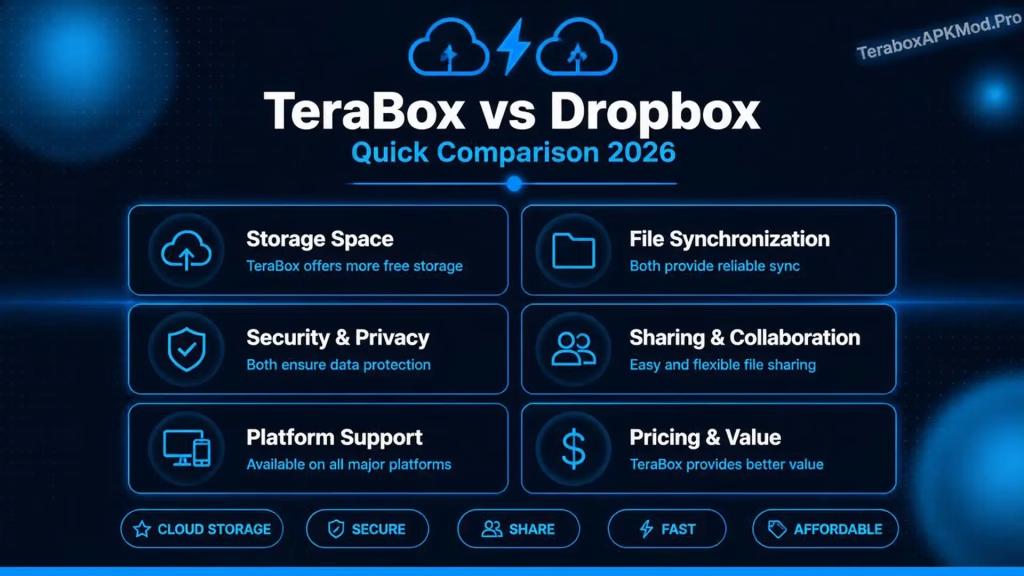
The infographic below shows all key differences at a glance:
Security and Privacy
Dropbox uses enterprise-grade security with AES-256 encryption, two-factor authentication, and compliance with regulations like GDPR and HIPAA on business plans. It has a long track record of transparent security practices and regular third-party audits. For business users handling sensitive client data, this level of security matters.
TeraBox uses AES encryption and protects files during transfer. It does not offer end-to-end encryption, which means the platform can technically access stored files. For everyday personal use, this is not a serious practical concern. For sensitive business documents or confidential client information, Dropbox offers stronger and more verifiable protections.
Both platforms support two-factor authentication.This is one area where the TeraBox vs Dropbox difference matters most for business users. Enabling it on either service is a basic step that significantly reduces the risk of unauthorized account access.
File Sharing and Collaboration
Dropbox is built for collaboration. It supports shared folders with granular permission settings, real-time document editing through Paper, and integrations with major productivity tools. You can set link expiry dates, password-protect shared files, and track who has viewed or downloaded something. For teams working on projects together, these features remove a lot of friction.
TeraBox supports file sharing through secure links and shared folders, which works well for sending files to someone or giving a few people access to a folder. What it does not support is real-time co-editing or the kind of deep workflow integration that Dropbox offers. For personal sharing, TeraBox is sufficient. For team projects, Dropbox handles it much better.
Performance and Sync Speed
Dropbox is widely considered one of the fastest and most reliable cloud sync tools available. Its desktop client integrates deeply with the operating system, which means files sync in the background quickly and consistently. This reliability is one of the main reasons businesses stick with Dropbox even as cheaper alternatives have appeared.
TeraBox performs well for personal use. Large file uploads are smooth, auto backup runs reliably in the background, and the mobile app works consistently across different network conditions. Where it lags behind Dropbox is in desktop sync reliability and speed when handling many small files simultaneously.
Ease of Use
Both platforms are easy to set up and use, but they are designed for different experiences. TeraBox is straightforward: install the app, enable auto backup, and your files start uploading automatically. The interface is clean and simple, making it accessible for users who are not particularly tech-savvy.
Dropbox is also easy to use, but it has more features to navigate. The desktop client, web interface, and mobile app all stay consistent and polished. For users who are already comfortable with cloud tools, Dropbox feels familiar and professional. For someone using cloud storage for the first time, TeraBox requires less learning.
TeraBox vs Dropbox: Side by Side
| Feature | TeraBox | Dropbox |
|---|---|---|
| Free Storage | 1TB | 2GB |
| End-to-End Encryption | No | No (AES-256) |
| Real-Time Collaboration | No | Yes |
| Version History | Limited | Yes (up to 180 days) |
| Auto Photo Backup | Yes | Yes |
| Desktop Sync | Web and mobile | Full desktop client |
| Third-Party Integrations | Limited | Extensive |
| Best For | Personal storage | Business and teams |
| Premium Price | Very low | Moderate to high |
Which One Should You Choose?
The TeraBox vs Dropbox decision comes down to your actual use case. TeraBox is the right choice if you need generous free storage for personal photos, videos, and documents, and your main goal is backup rather than collaboration. It is particularly useful for students, casual users, and anyone whose primary problem is running out of space on their phone or computer.
Dropbox is the right choice if you work with a team, handle sensitive files, or rely on cloud storage as part of a professional workflow. The collaboration features, sync reliability, and security standards make it worth the cost for users who need more than a basic backup solution.
Both platforms are solid. The decision really comes down to whether you need storage space or storage capability.
